
In the CLEO Mobile App you have a meticilous overview of your pending, open and closed positions. To view your position history:
- Tap Positions on the bottom right of the navigation bar.

2. By default, you’ll see your Open Positions.

3. Tap History and see your closed positions.
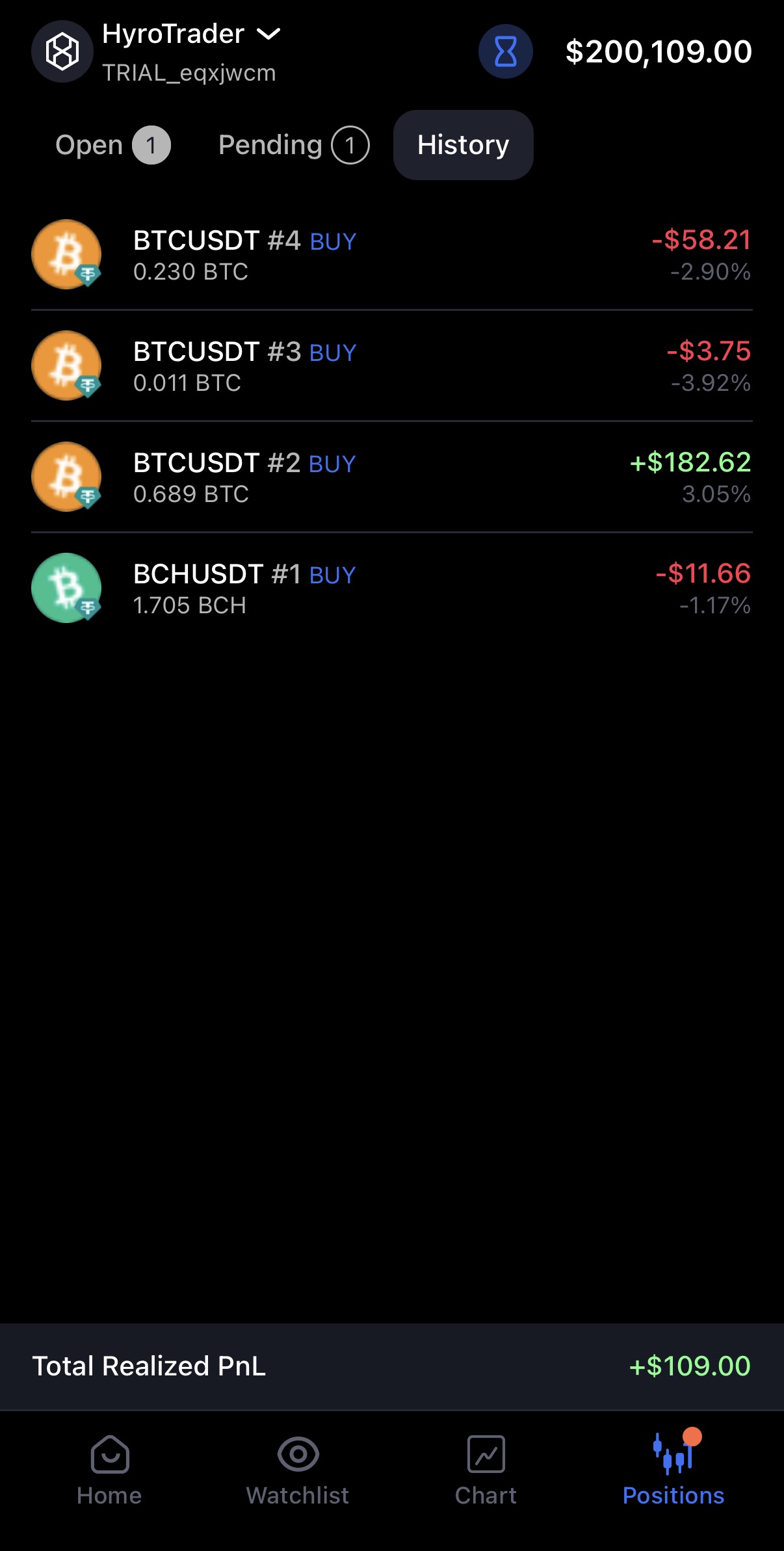
Here, you can review all your past trades. Tapping on any asset gives you a summary and then a detailed breakdown of your PnL, including commissions, funding fees, slippage, and more.

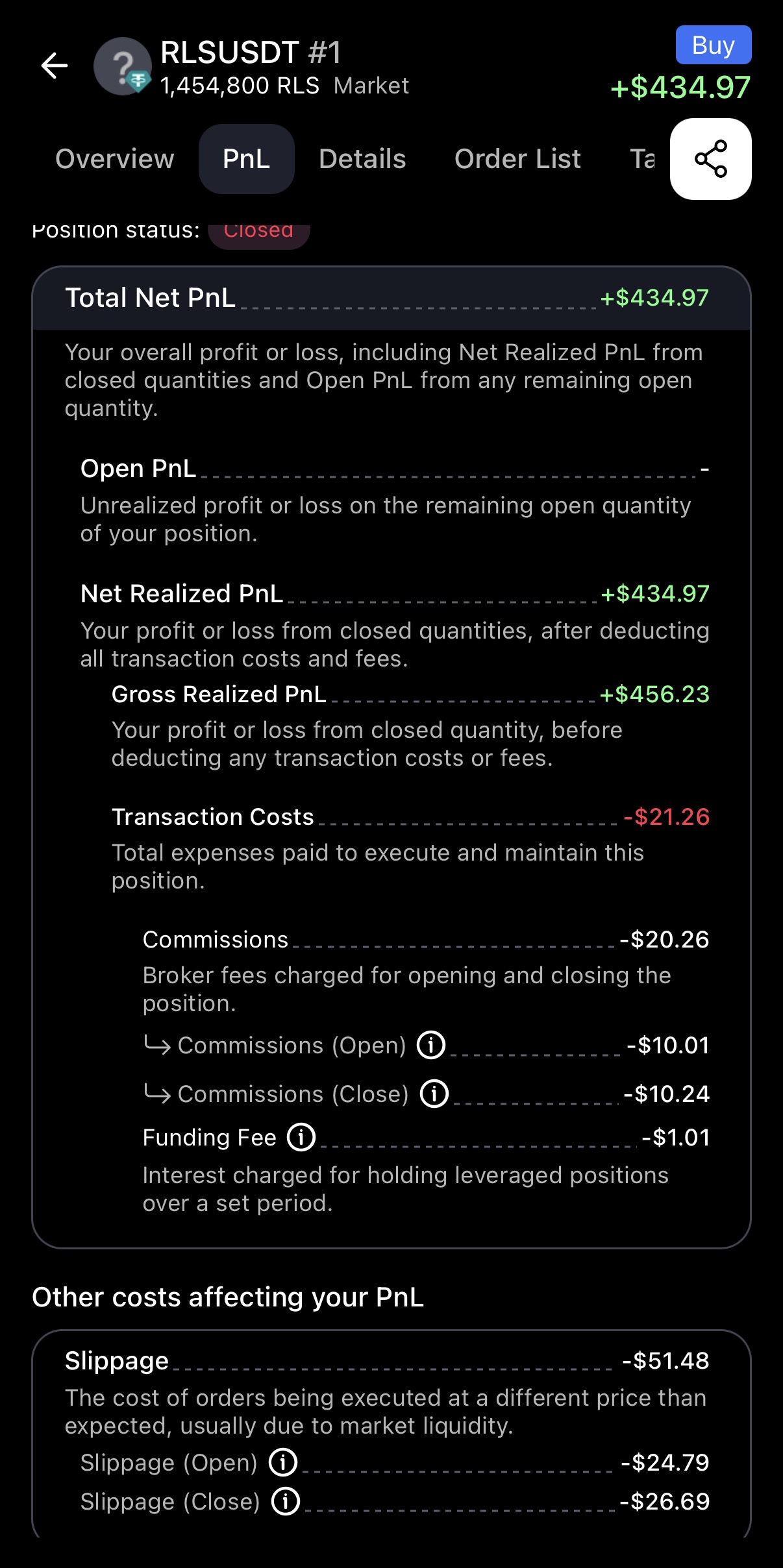
All of these details are broken down on amounts achieved at open and close. It’s the most insightful overview in crypto trading packed with information that you simply don’t find on exchanges.