
You can make all necessary position adjustments in the CLEO Mobile App on the go.
When you go to Positions in the bottom menu or tap the Positions button you immediately see your open positions:


Select the position you want to edit.
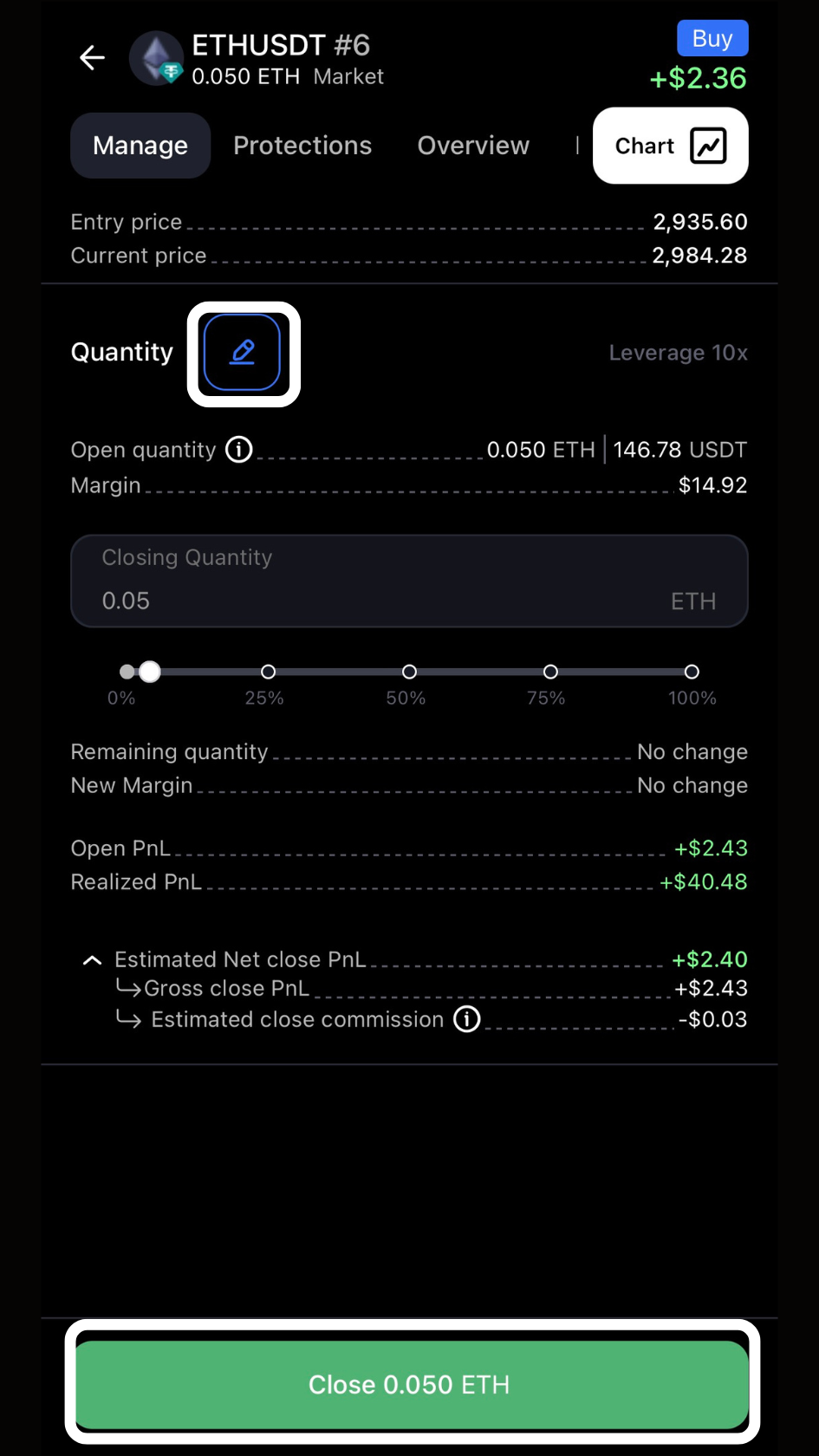
The first screen you see shows you your current PnL. On this screen you can also close a part of the position by clicking the edit button next to Quantity. Use the slider or input the actual quantity you want to close before taping the Partial Close Button at the bottom.
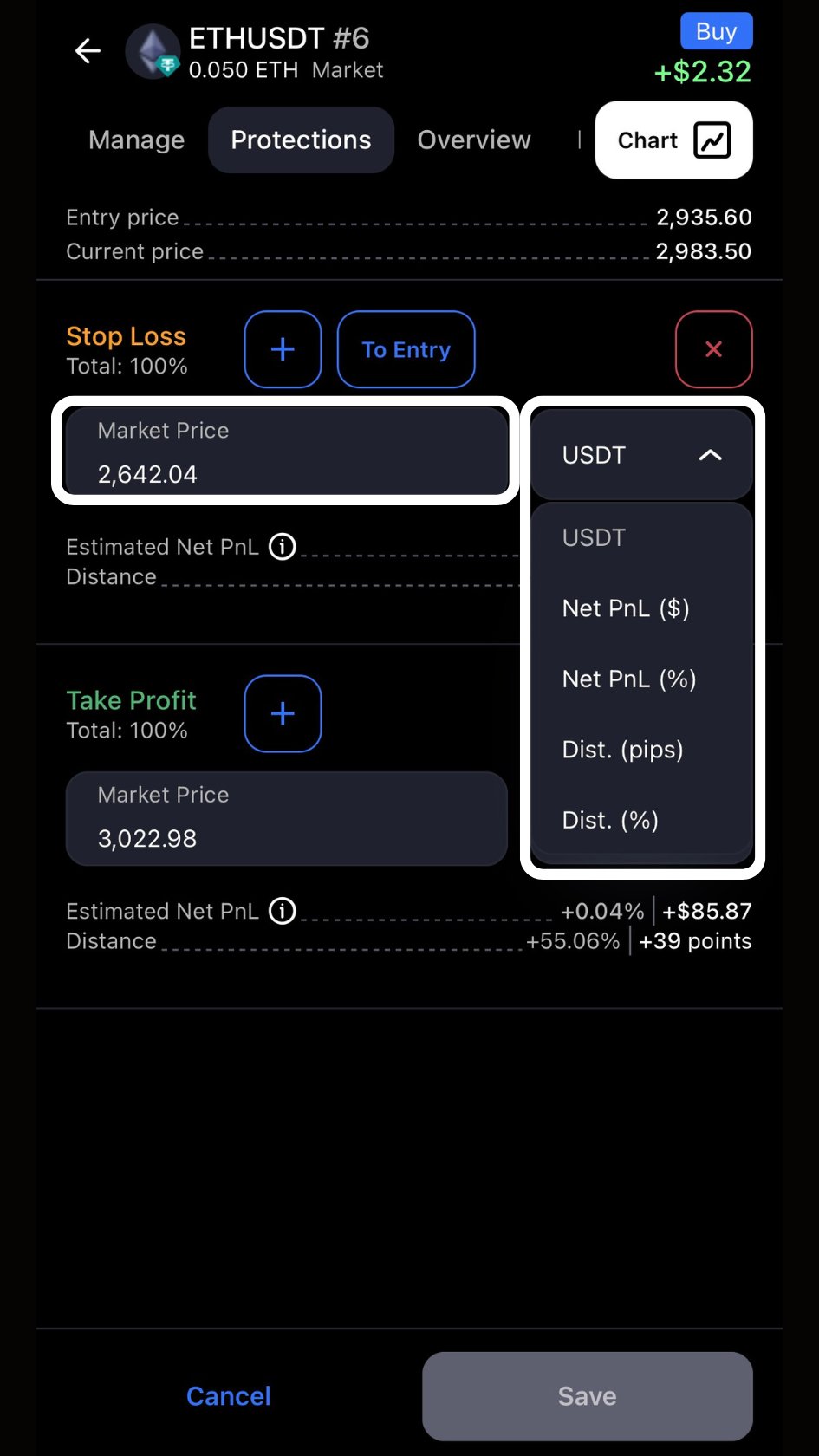
When you click Protections at the top you’ll see your current Stop Loss and Take Profit. You can edit them by changing the target price in USDT or selecting any of the other options for targets and protections setting.
Once you’re happy with the changes made just click Save at the bottom.
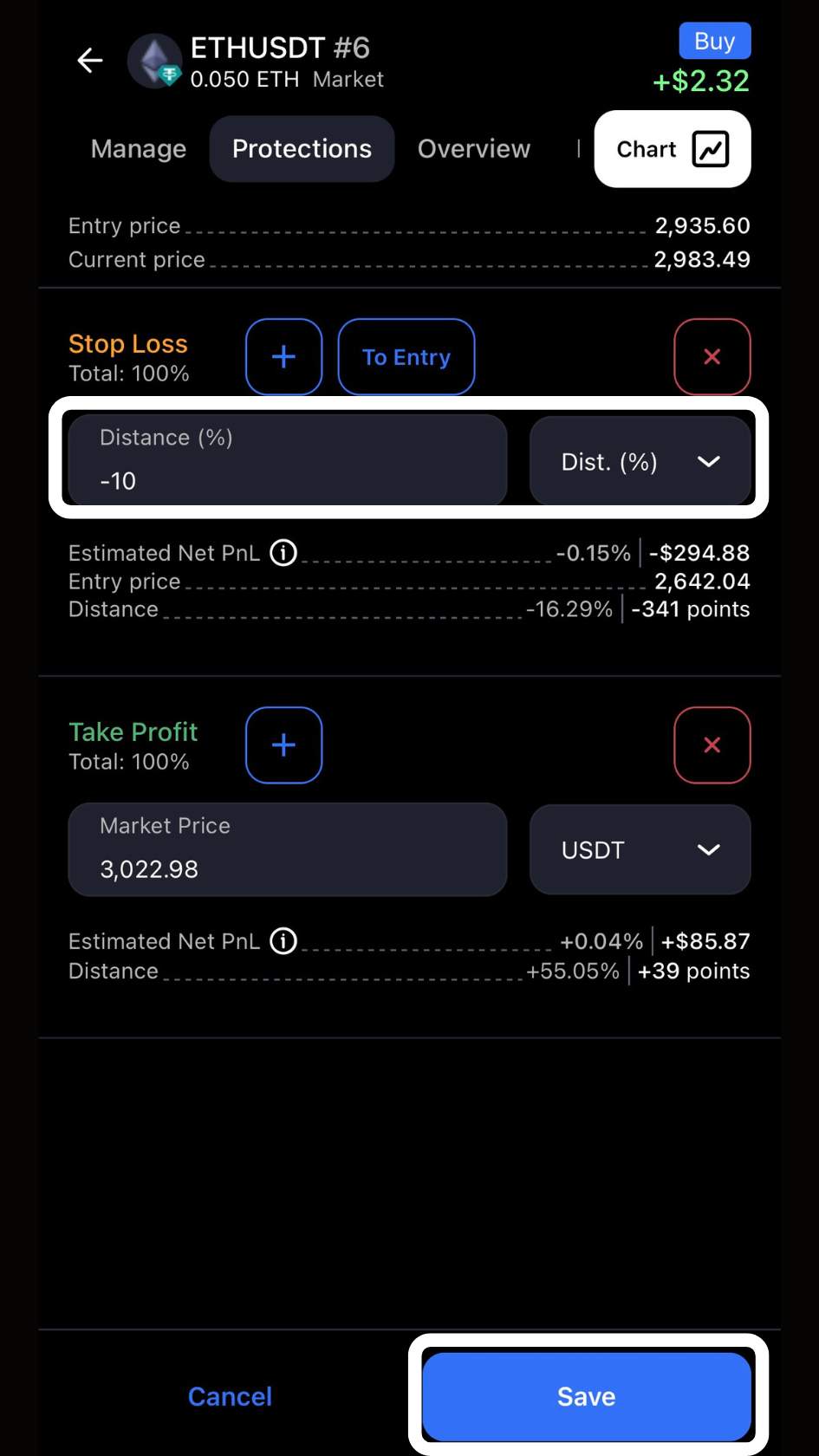
You can make as many edits as you need and keep accessing the chart for visual reference.