
The chart in the CLEO Mobile Trading App is packed with functionality that can help you be faster and more precise on any timeframe you like. It’s one of the reasons that for prop firm traders CLEO can be a real edge in the competitive crypto prop trading environment.
Under the chart, you’ll find six main buttons:
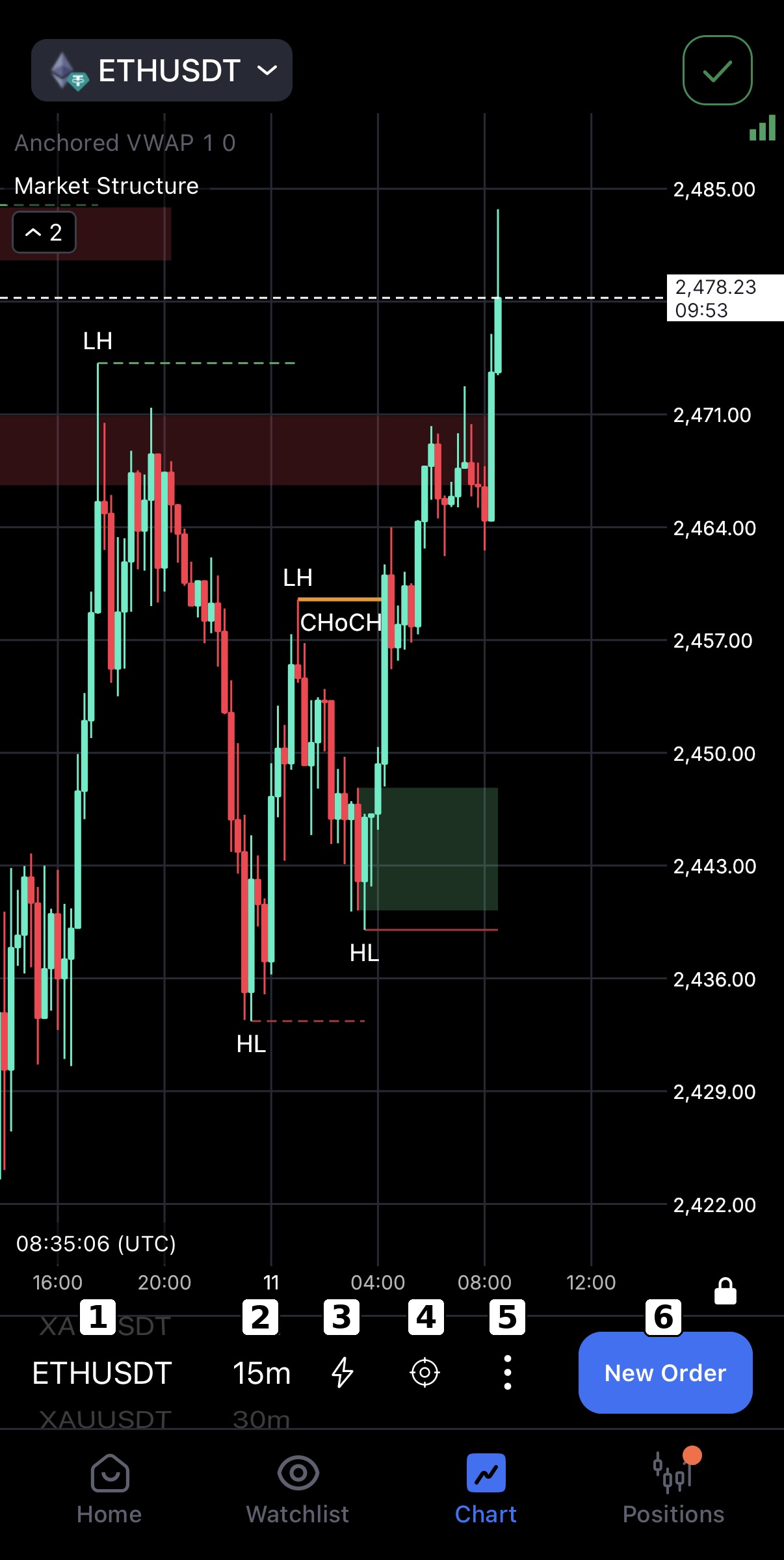
- Asset Button – Tap to view all available trading assets. It leads to the search field to quickly find the asset you want to trade
- Timeframe Button – Choose your preferred chart timeframe: 1m, 5m, 15m, 30m, 1H, 4H, or 1D. You can also set a custom timeframe or add any timeframe you like here.
- Instant Mode Button – When enabled, Buy and Sell buttons appear at the top of the screen. Orders are executed instantly with one tap, no confirmation window. Revert to another mode in Settings on both desktop and mobile.
- Target (Bulls Eye) Button – Lets you visually set positions directly on the chart. You can drag lines to define your entry, Stop Loss (SL), and Take Profit (TP) as a market, limit, or stop order.
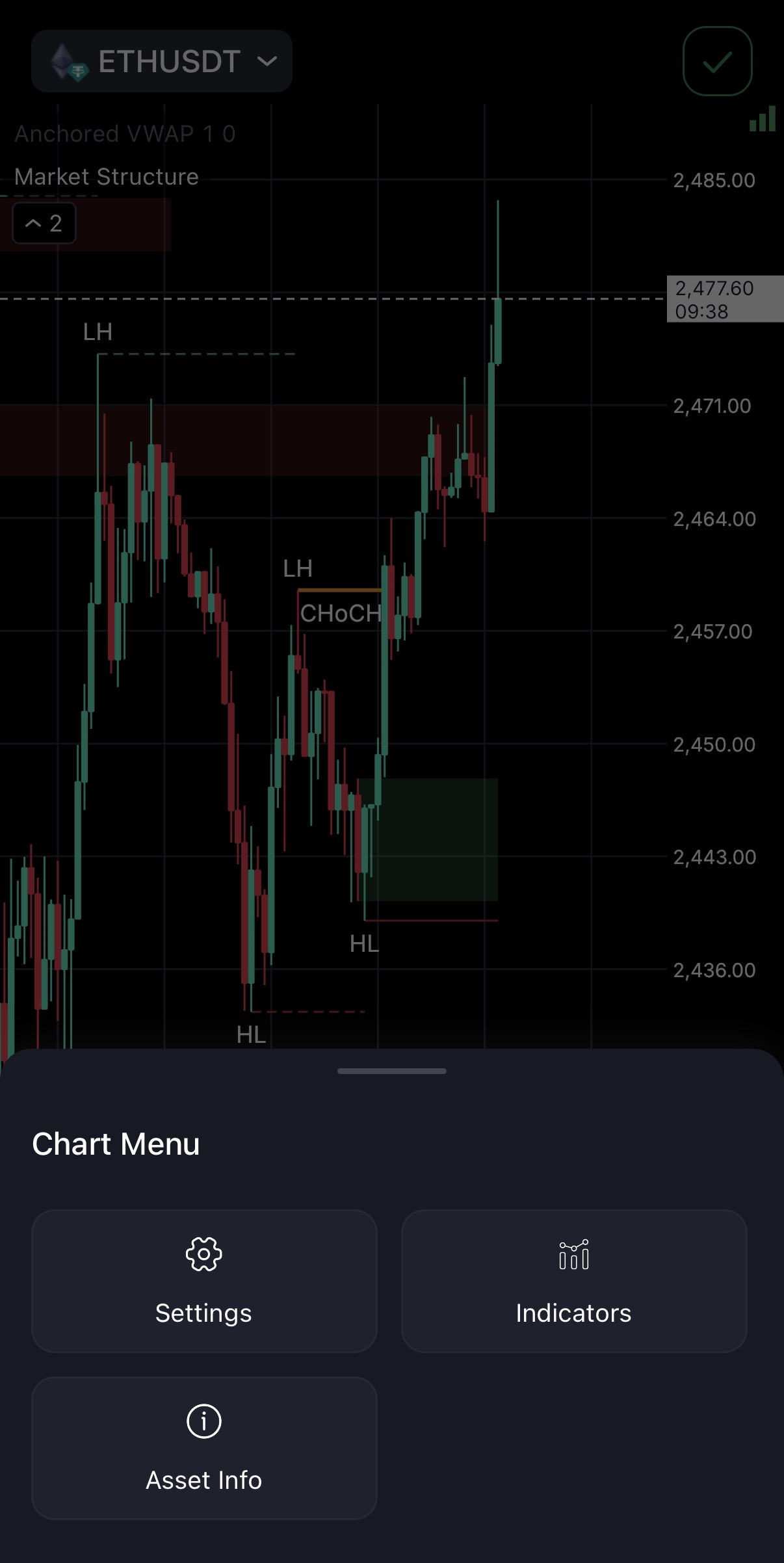
- Menu Button – Allows you to access indicators, candlesticks patterns and chart settings
6. New Order Button – Opens the Order Panel, where you can input trade details. Once you start entering order details and return to the chart, this button changes to “Review”, allowing you to review and confirm your pending order setup
These are some essential tools to help you trade smarter, execute faster and perform better.