• Blog
  • Go to cleo.finance app
  • Blog
  • Go to cleo.finance app

CLEO Mobile App

home/Knowledge Base/CLEO Mobile App/Why does my App say “Trading Disabled”?
Popular Search:Do I need to connect my exchange account, What prop firms is CLEO featured on, What's risk-based mode?

Why does my App say “Trading Disabled”?

Written by Team cleo.finance
November 18, 2025

While the dashboard provides insights on the most dynamic parts of the trading challenge such as Daily Drawdown, Max Drawdown, Profit Factor and Profit Factor there might be a constraint from the prop firm that the account has breached that we don’t directly report on. Different prop firms have different rules and covering every single one of them is not feasible.

You can find the answer to why the account was disabled in your prop firm dashboard.
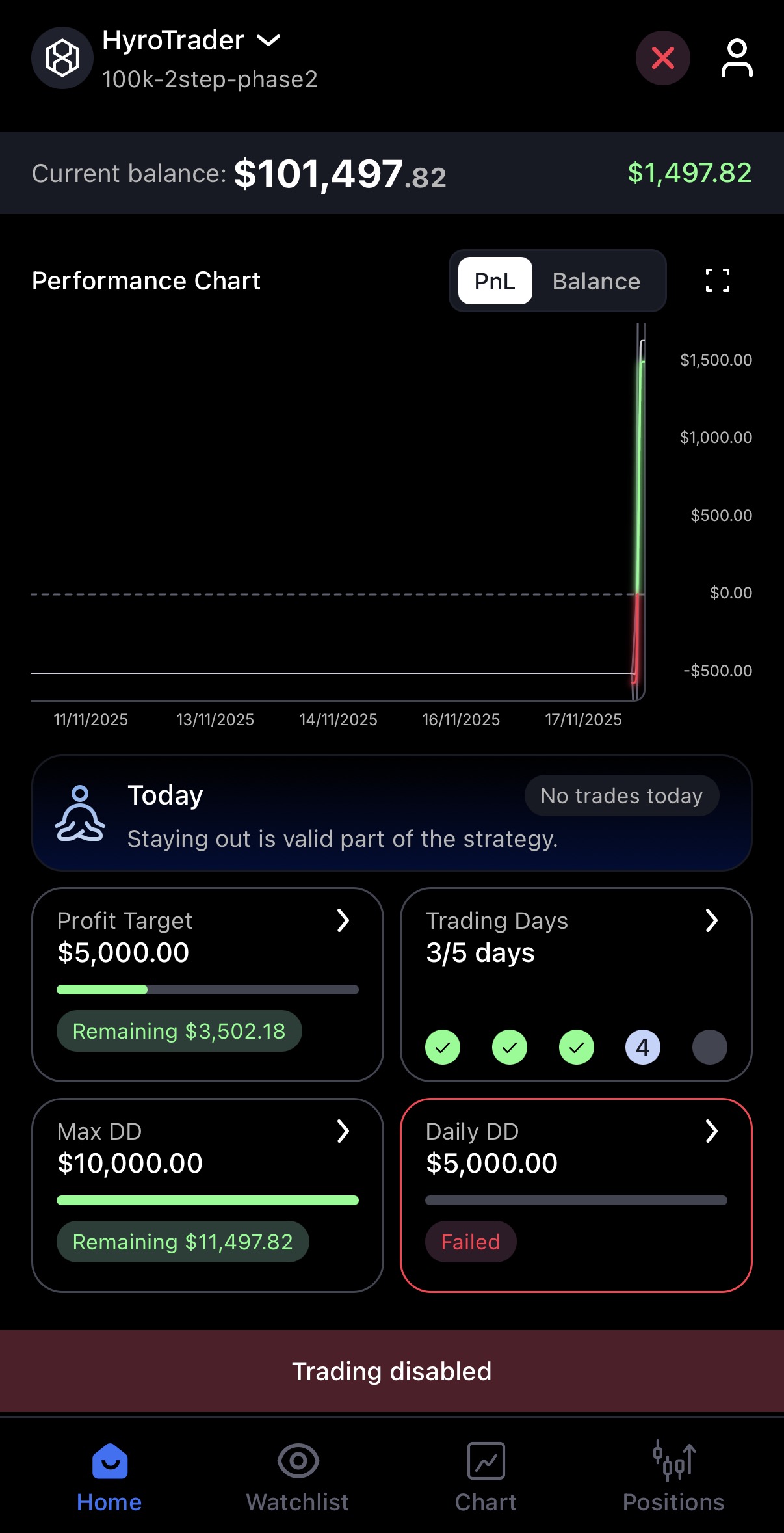
whi is my account disabled in cleo

We always recommend checking the prop firm dashboard for details. The “Failed” tab often holds the challenges that were not passed.

Was this helpful?

Yes  No
Related Articles
  • I don’t see indicators in the CLEO Prop Trading Mobile App?
  • How to edit your open position: adjust SL/TP, or partially close in the CLEO Mobile App?
  • How do I turn on Light Mode in the CLEO Mobile App?
  • How do I see my Position History and what details can I see?
  • Where do I see my Open or Pending positions in the CLEO Mobile App?
  • What do the buttons under the Chart in the CLEO Mobile App do?
Copyright 2026 CLFNCE OÜ. All Rights Reserved.
Popular Search:Do I need to connect my exchange account, What prop firms is CLEO featured on, What's risk-based mode?