
The CLEO Trading Platform allows you to set your own defaults for Stop Loss and Take Profit setting. The buttons that are always there when setting up a position can be fully customized.
When pressed for a Stop Loss, the button automatically sets position size to ensure that the potential loss is at a certain percentage from the initial or current balance.
For a Take Profit a fixed target multiplier automatically sets the Take Profit order at a distance that the user had chosen.
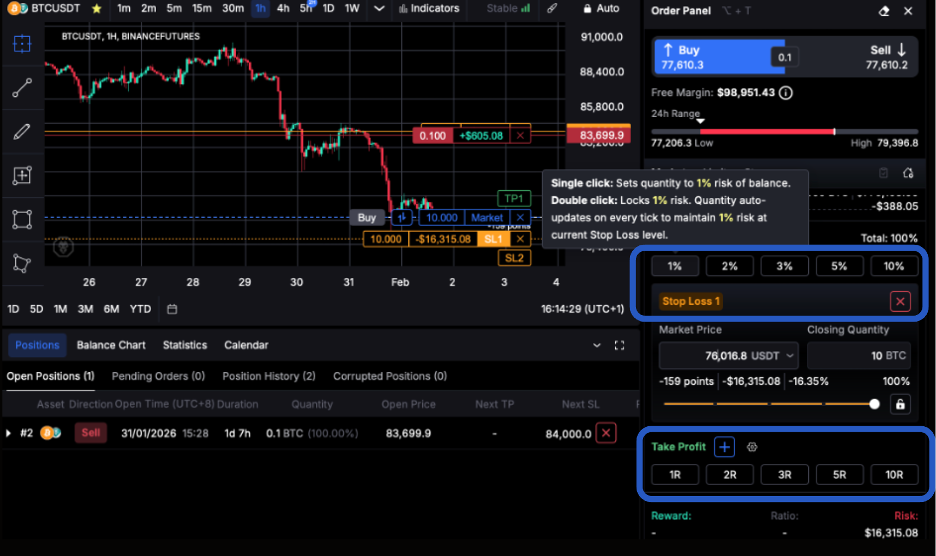
How to change Take Profit/Stop Loss Quick Options on Desktop
Press the Gear Icon next to Stop Loss/Take Profit like so:
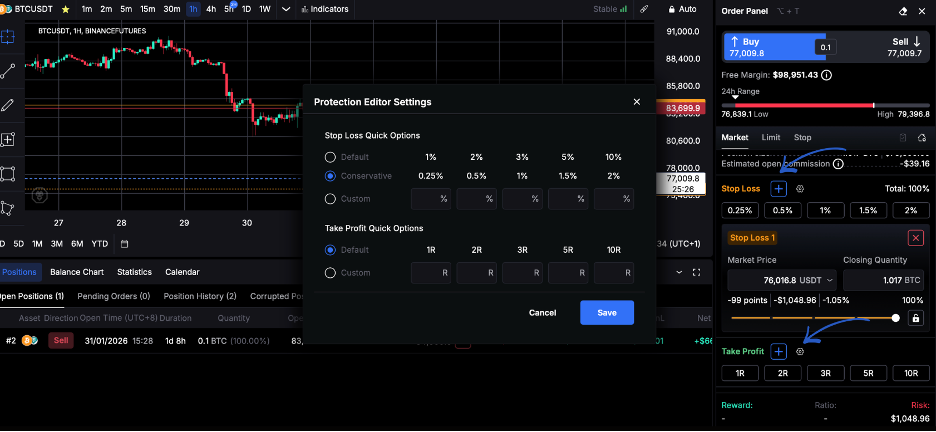
You can then customize these numbers to anything you’d like.
How to change Take Profit/Stop Loss Quick Options on the CLEO Prop Trading App
Go to Account Settings in the upper right corner.
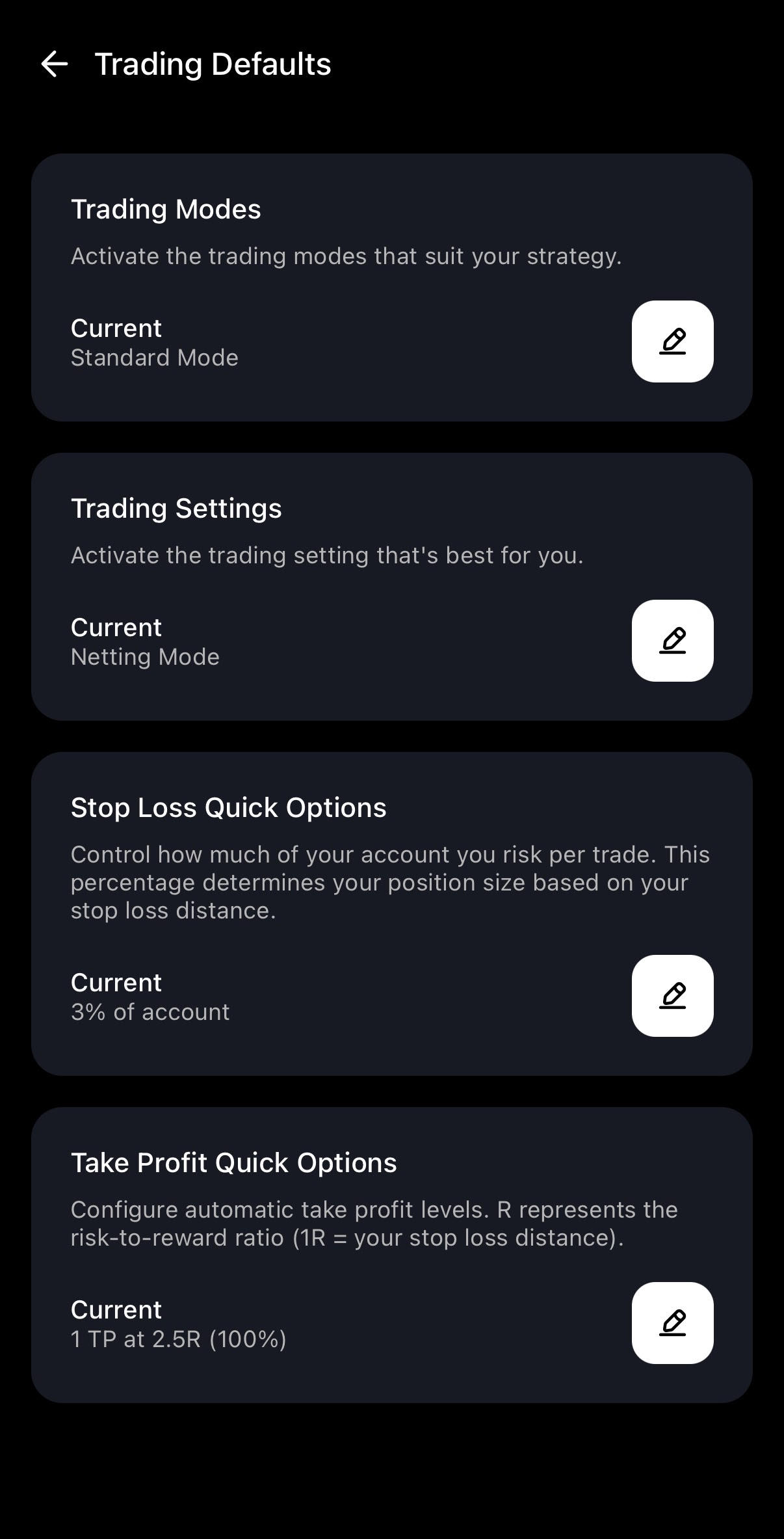
Select Position Defaults.
From the menu select Stop Loss or Take Profit Quick Options.
You can then select one of the popular choices or input any number that suits your trading strategy.
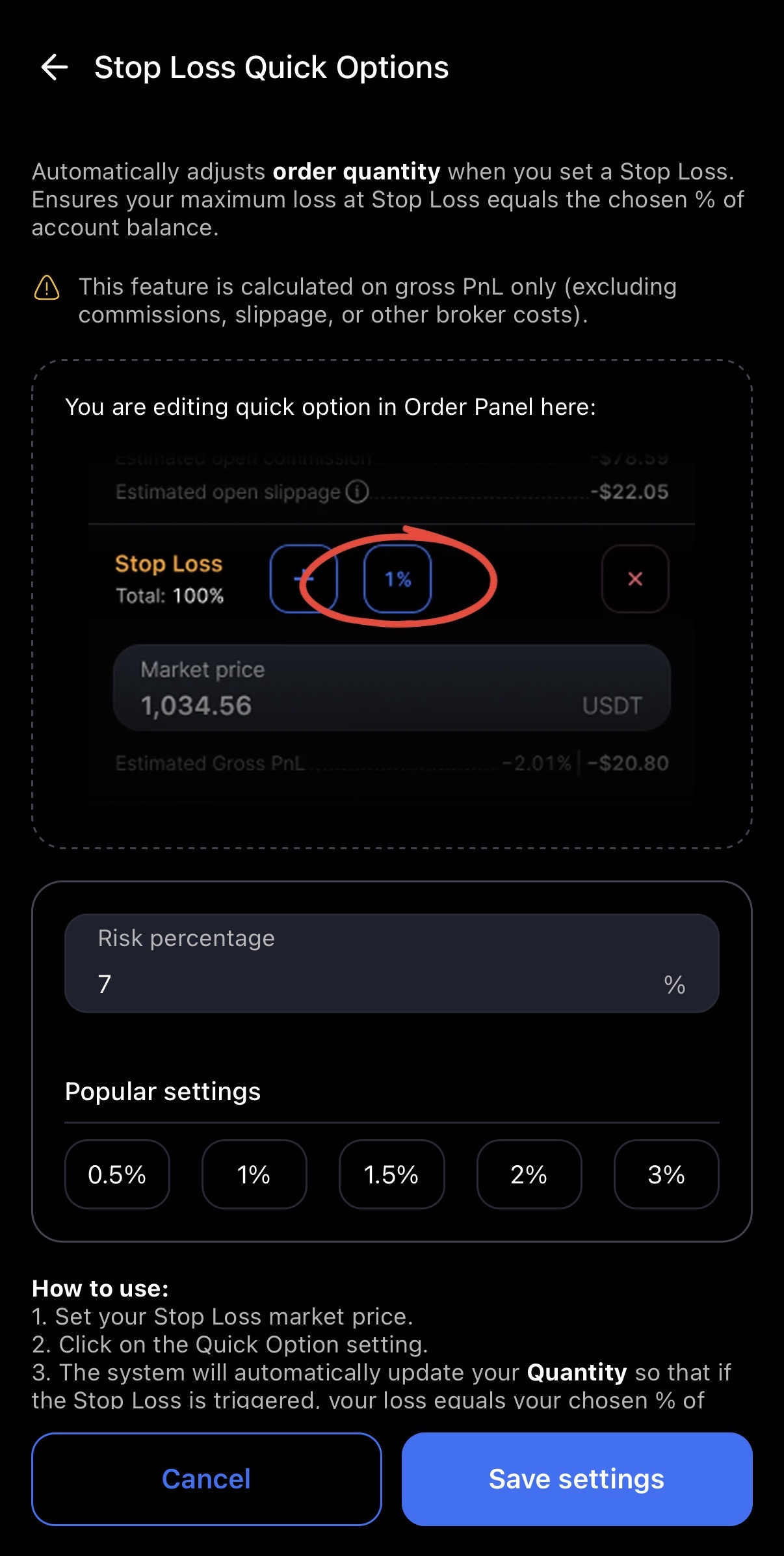
Click “Save Settings” and you’re done. These selections can be changed any time.