
The CLEO Prop Trading platform gives you a detailed breakdown of where every cent of your position costs went. You can check it for Open Positions as well as those in Position History.
Under the chart you will find all of your past and current positions. When you click the arrow next to the position number all details will cascade.
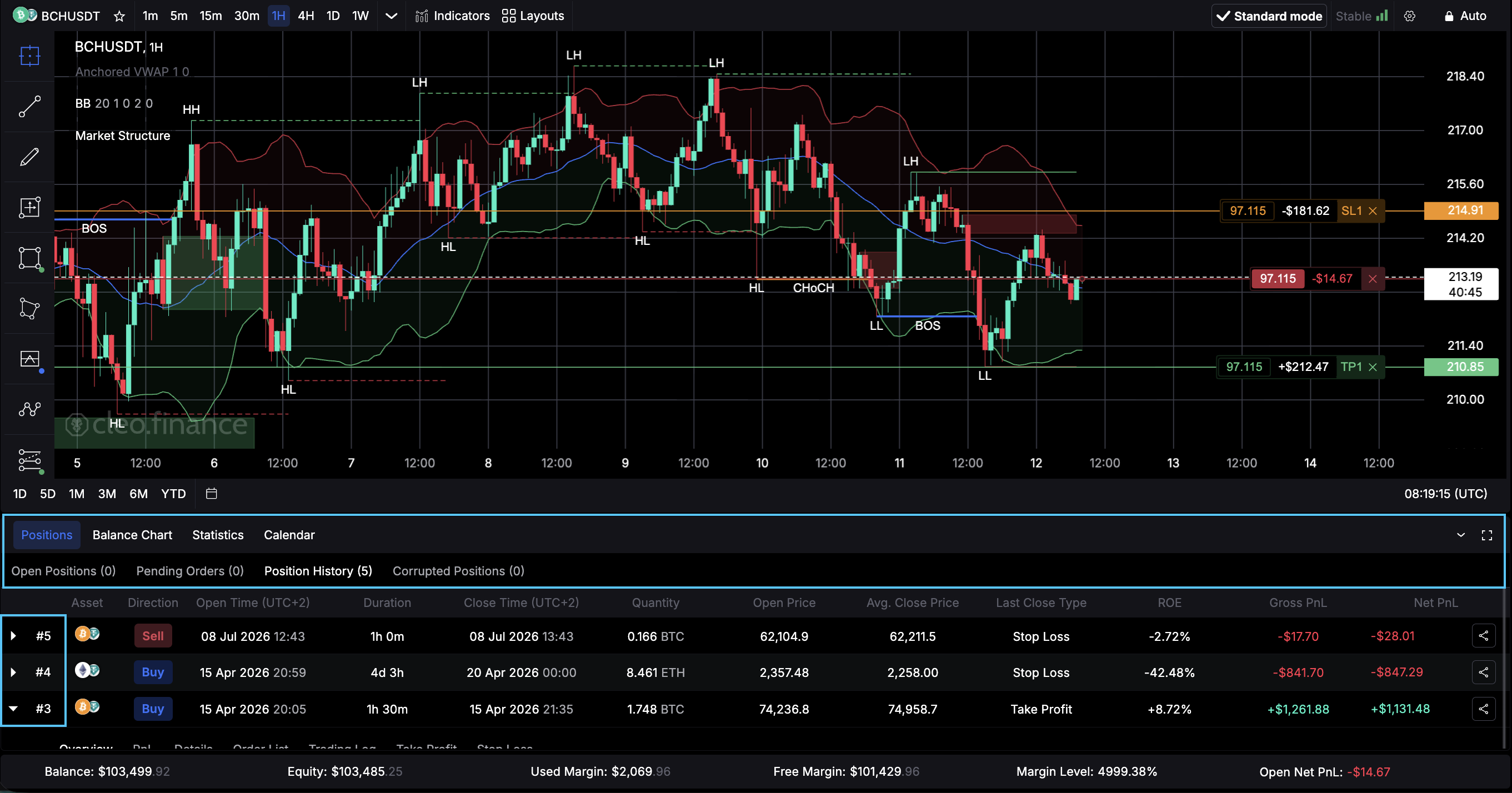 You’ll be able to see:
- Overview – the general details of your position like Entry, Exit, Leverage and ROI.
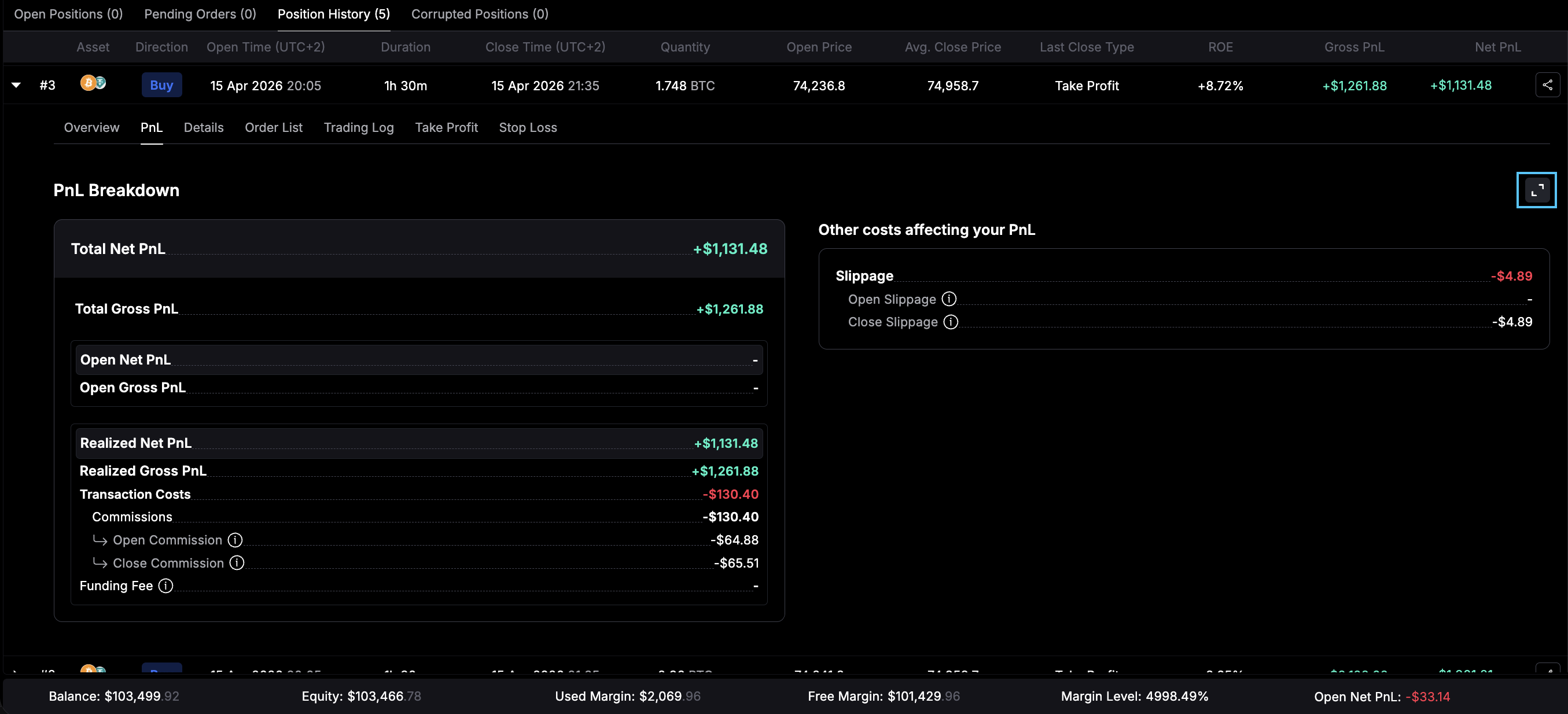
- PnL – the full cost breakdown of commission, funding fees, gross/net PnL and slippage divided on open and close. The arrow in the upper right opens detailed explanations of every metric.
- Details – you’ll see all the granularity in terms of margin, open/close types, timings and duration.
- Order List – every order connected to your position, the time it was set, modified or canceled.
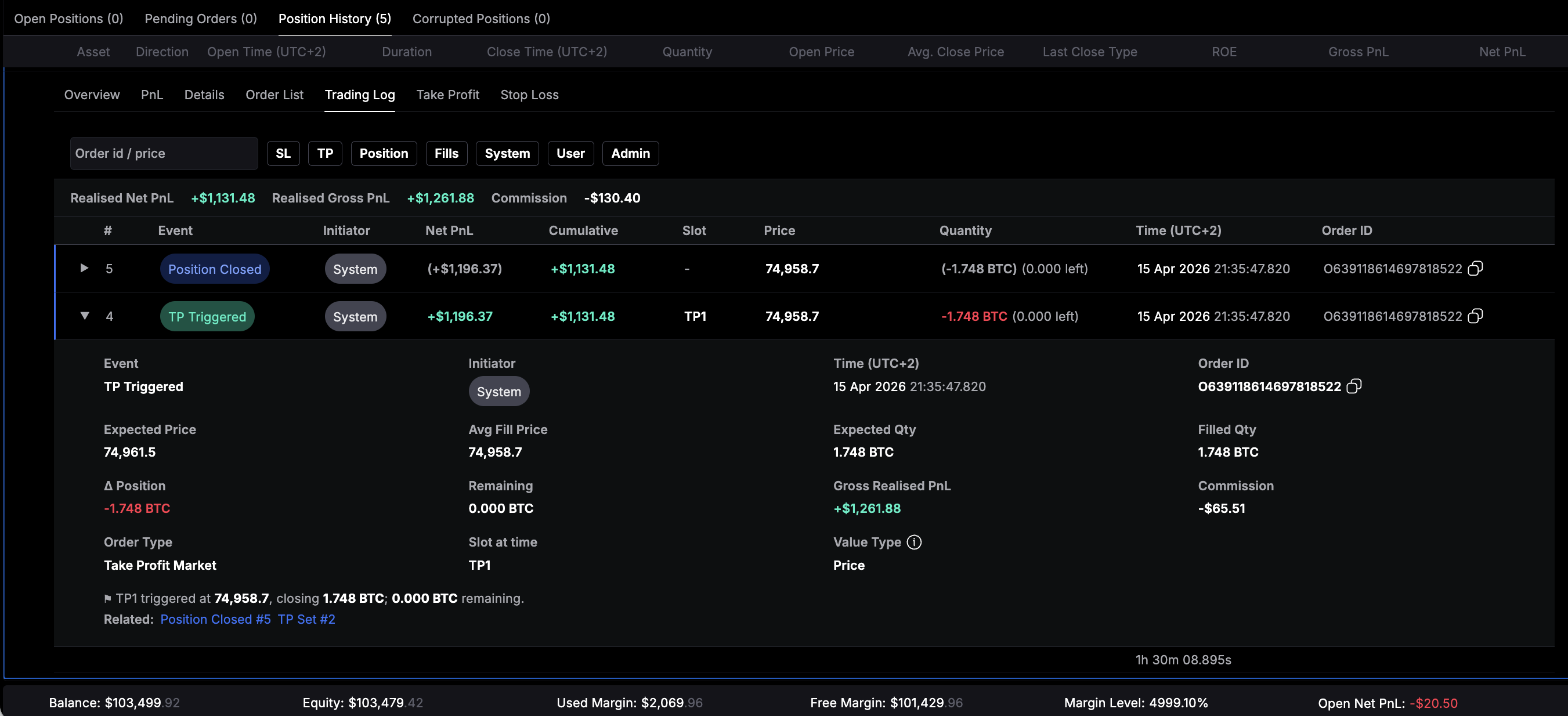
- Trading Log – a detailed overview of all trading actions connected to your position. You can see order IDs, if any action was system or user generated, canceled orders, modified orders – everything that will help you understand what happened even with complex positions.
- Take Profit – If the position is active, you will see all active Take Profit levels here. If it’s a closed position the executed ones with all details. If a Stop Loss was triggered instead you will see the last active Take Profit.
- Stop Loss – Same as Take Profit, active Stop Loss levels, filled and canceled orders in Position History.
These tabs should give you a 360 overview and control of your active positions and the ability to review your trading history.
You can see a similar level of detail on in the CLEO Mobile App as well.