
The nominal size of your position is important to know because it explains your position exposure as you’re taking the prop firm challenge. It adds margin and leverage and expresses the nominal position size in USDT. It’s available in both the desktop and mobile app version of the CLEO Trading Platform.
CLEO prides itself on being the most transparent platform in trading and we always try to provide all details a prop firm trader might need.
The exposure in the base currency can be always seen in the table under the chart:
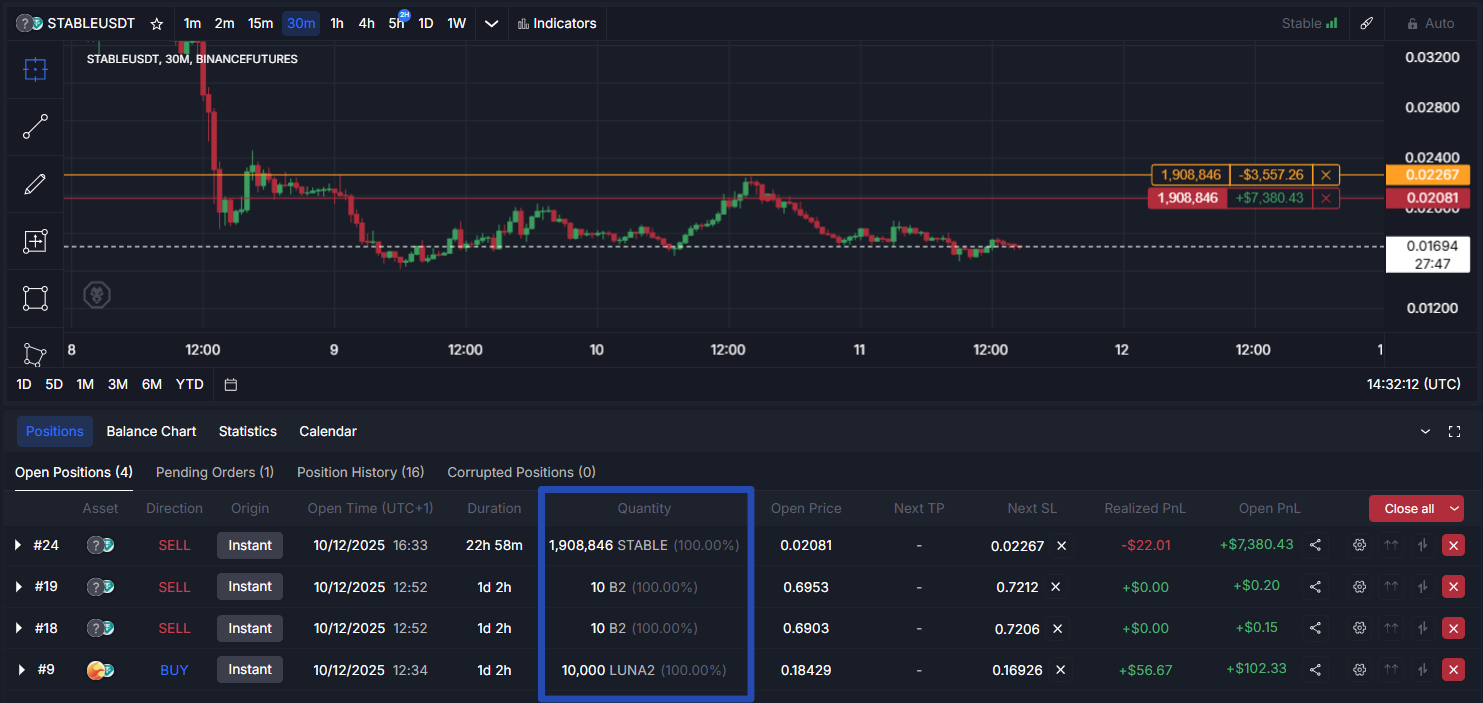
How to see nominal exposure of a position on desktop?
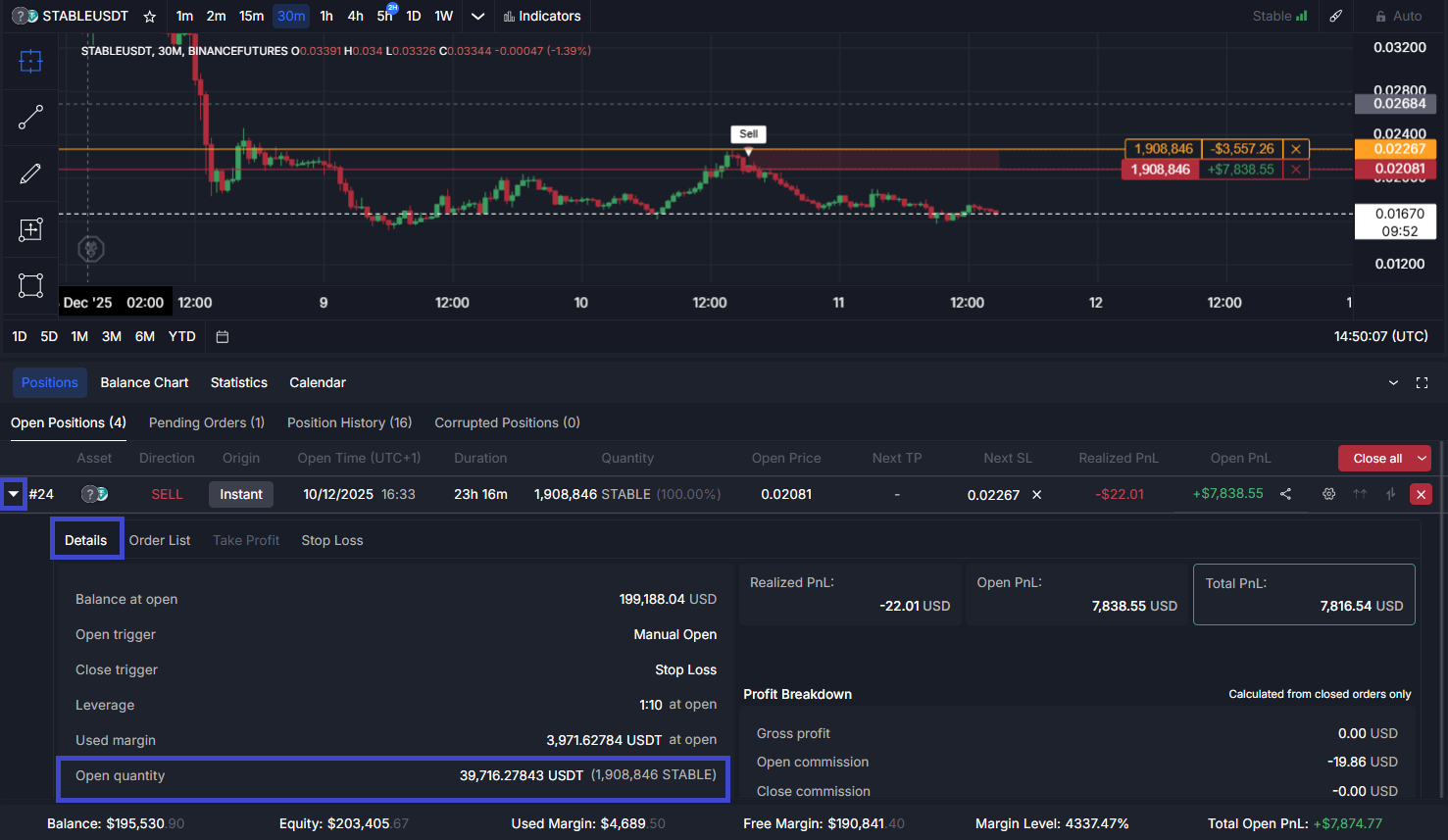
From the Positions tab go to Open Positions.
Cascade the position you want to investigate with the arrow next to the position number. Under Details you’ll be able to see Open Quantity, this is your nominal exposure at the moment of opening the position.
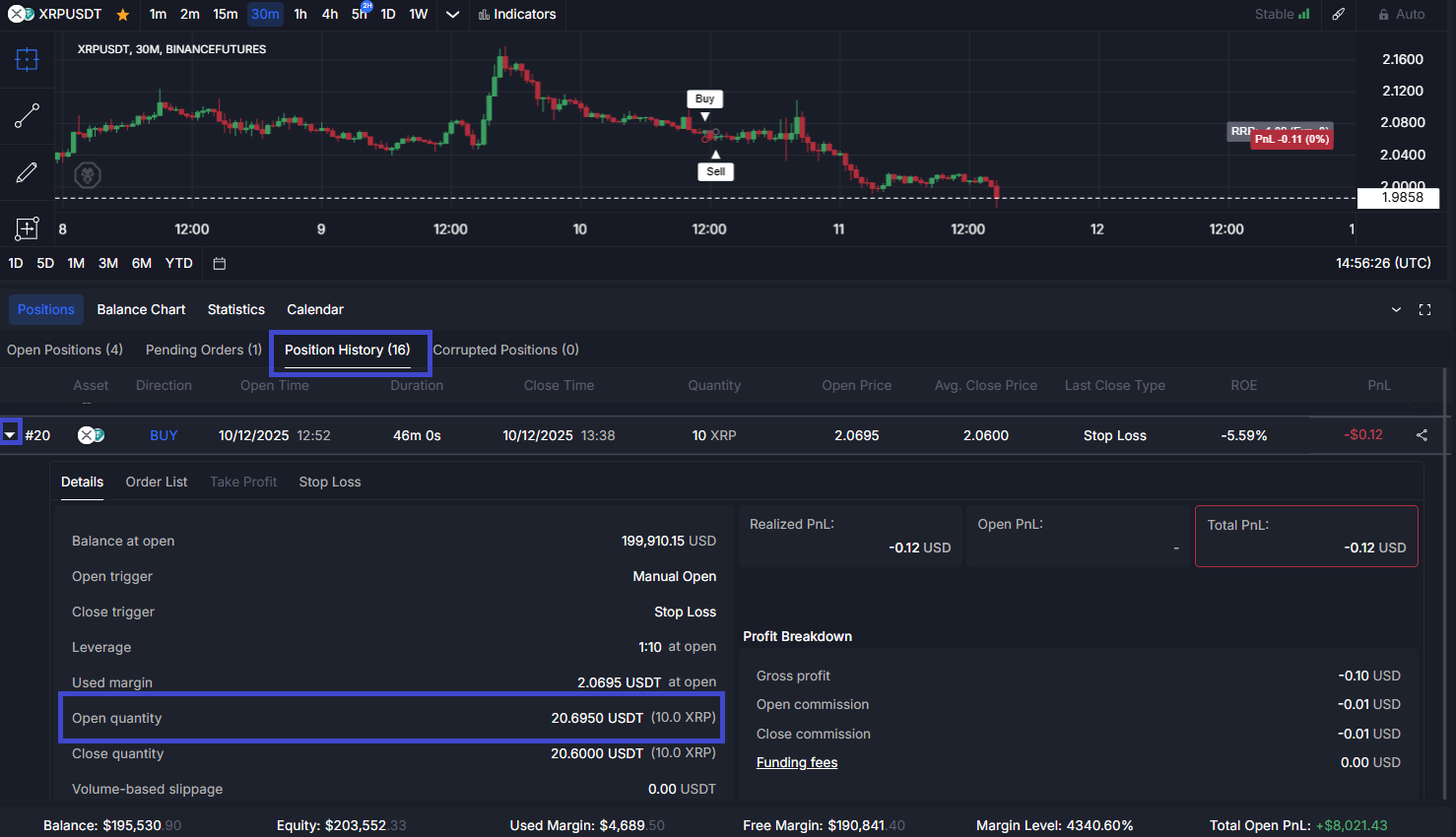
You can do the same for closed positions by following the flow starting from the Position History tab.
As it is a closed position underneath the Close quantity will match the Open quantity.
 How to see nominal exposure of a position on the CLEO Mobile App?
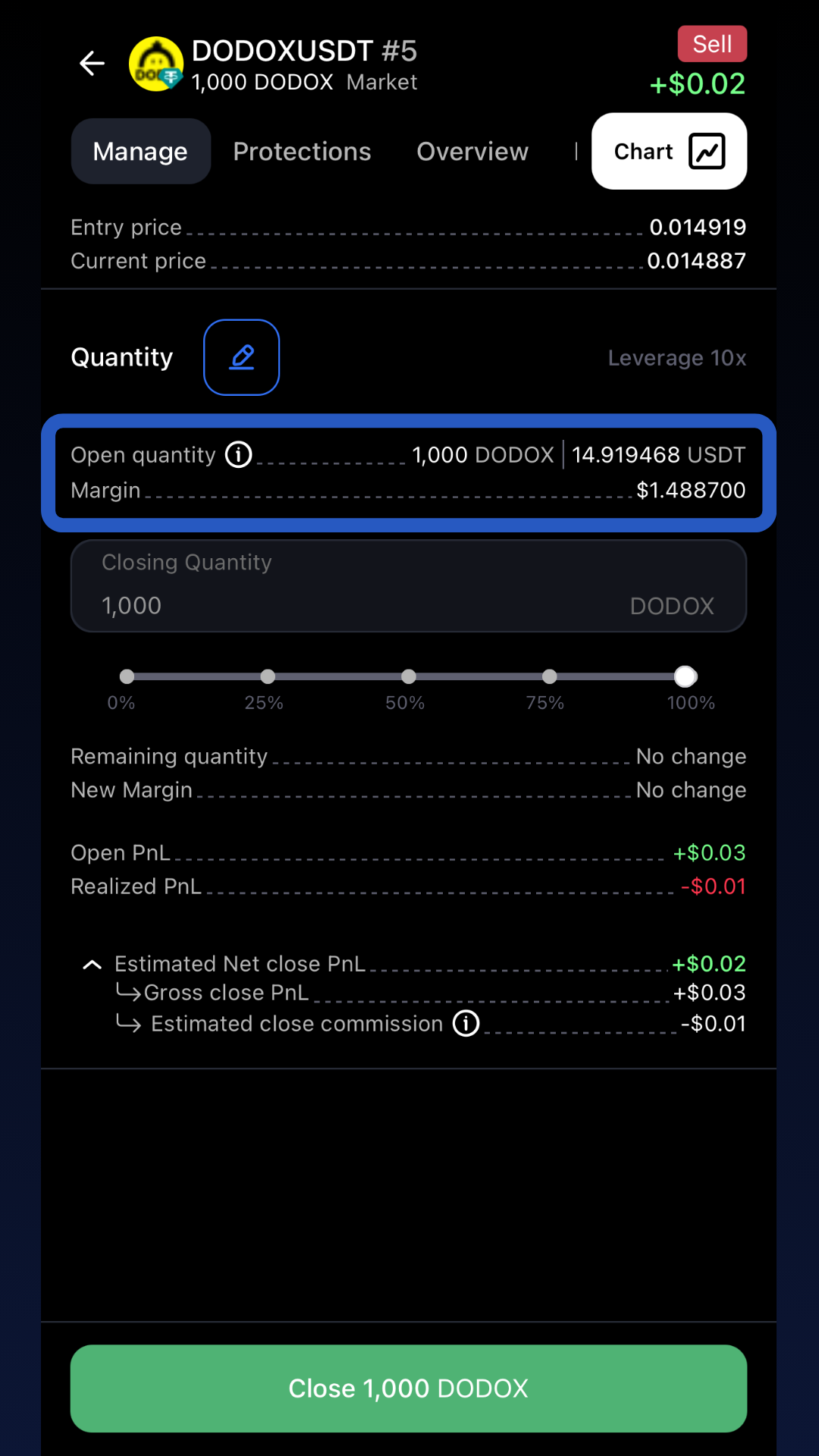
You can see the same level of detail in the mobile app.
Go to Positions and click the one you want to check. The nominal amount in USDT will be visible immediately in the “Manage” tab:
You can see the same for closed positions by opening in the History tab.
Get better aquainted with the CLEO Trading Platform and see why it’s the first platform designed for prop firm traders.